Introduction to the SF package

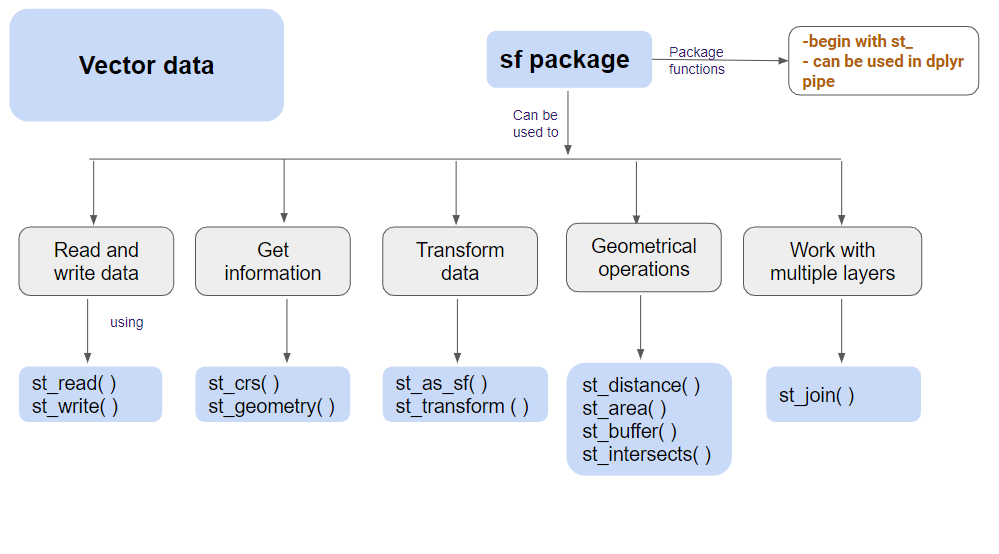
The sf package

install.packages("sf")

The sf package is an R implementation of Simple Features.

This package incorporates:

  • a new spatial data class system in R

  • functions for reading and writing data

  • tools for spatial operations on vectors

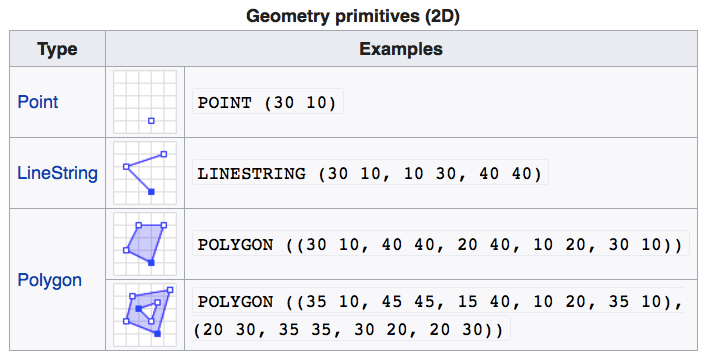
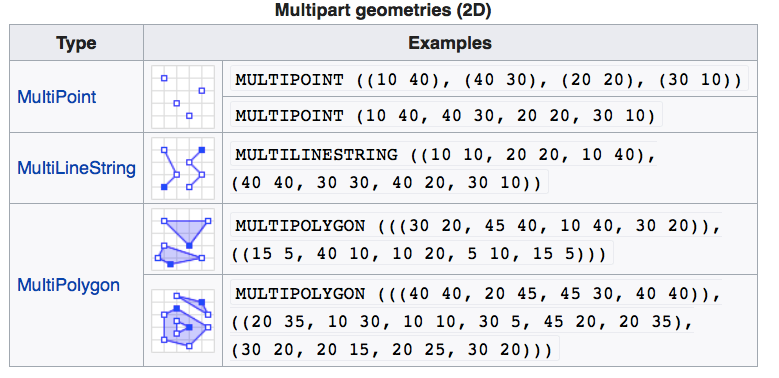
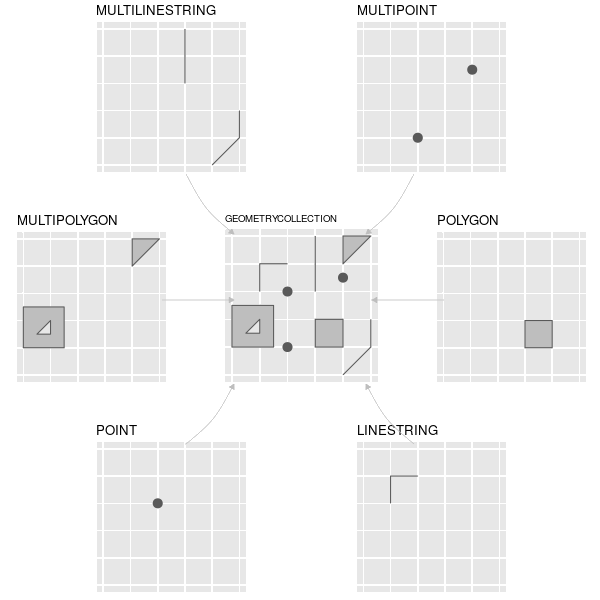
Geometry Types in sf

Loading sf package

library(sf)

fs::dir_tree(here("spatial_files", "kl_pop_centers"))
C:/Users/Arun/Dropbox/Workshops/SummerSchool2024_GIS4PublicHealth/spatial_files/kl_pop_centers
├── kl_pop_centers.dbf
├── kl_pop_centers.prj
├── kl_pop_centers.shp
└── kl_pop_centers.shx
Load spatial data into R

shape_file <- here("spatial_files", "kl_pop_centers", "kl_pop_centers.shp")

kl_pop_centers <- st_read(shape_file)
Reading layer `kl_pop_centers' from data source 
  `C:\Users\Arun\Dropbox\Workshops\SummerSchool2024_GIS4PublicHealth\spatial_files\kl_pop_centers\kl_pop_centers.shp' 
  using driver `ESRI Shapefile'
Simple feature collection with 170 features and 14 fields
Geometry type: POINT
Dimension:     XY
Bounding box:  xmin: 74.95388 ymin: 8.35761 xmax: 77.28071 ymax: 12.60804
Geodetic CRS:  WGS 84

View the sf object

kl_pop_centers
Simple feature collection with 170 features and 14 fields
Geometry type: POINT
Dimension:     XY
Bounding box:  xmin: 74.95388 ymin: 8.35761 xmax: 77.28071 ymax: 12.60804
Geodetic CRS:  WGS 84
First 10 features:
   Rotation Scale    name_of_to      district  state ELEVATION     District_1
1         0     0 VADAKKANCHERI      PALAKKAD KERALA         0       P>LAKK>D
2         0     0      ANGAMALI     ERNAKULAM KERALA         0      ERN>KULAM
3         0     0    MALAYATLUR     ERNAKULAM KERALA         0      ERN>KULAM
4         0     0        KALADI     ERNAKULAM KERALA         0      ERN>KULAM
5         0     0      TOMALLUR PATTANAMTITTA KERALA         0 PATTANAMTHITTA
6         0     0     GURUVAYUR      THRISSUR KERALA         0        TRISS@R
7         0     0 TRIMBRANALLUR      THRISSUR KERALA         0        TRISS@R
8         0     0      KADIKKAD      THRISSUR KERALA         0        TRISS@R
9         0     0     CHALAKUDI      THRISSUR KERALA         0        TRISS@R
10        0     0          MALA      THRISSUR KERALA         0        TRISS@R
   STATE_1     TEHSIL Shape_Leng Shape_Area pop_2020      lon       lat
1   KERALA    >LATT@R   150475.2  578919605   456575 76.48236 10.591936
2   KERALA      >LUVA   155736.4  550828742   615928 76.38866 10.200267
3   KERALA      >LUVA   155736.4  550828742   615928 76.51483 10.197496
4   KERALA      >LUVA   155736.4  550828742   615928 76.43405 10.167068
5   KERALA       AD@R   110539.2  270281878   187760 76.68601  9.227245
6   KERALA CH>LAKKUDI   376808.1 1270626860  1153806 76.04651 10.598107
7   KERALA CH>LAKKUDI   376808.1 1270626860  1153806 76.10642 10.523958
8   KERALA CH>LAKKUDI   376808.1 1270626860  1153806 75.96130 10.681153
9   KERALA CH>LAKKUDI   376808.1 1270626860  1153806 76.34039 10.308017
10  KERALA CH>LAKKUDI   376808.1 1270626860  1153806 76.26185 10.250355
                    geometry
1  POINT (76.48236 10.59194)
2  POINT (76.38866 10.20027)
3   POINT (76.51483 10.1975)
4  POINT (76.43405 10.16707)
5  POINT (76.68601 9.227245)
6  POINT (76.04651 10.59811)
7  POINT (76.10642 10.52396)
8   POINT (75.9613 10.68115)
9  POINT (76.34039 10.30802)
10 POINT (76.26185 10.25036)

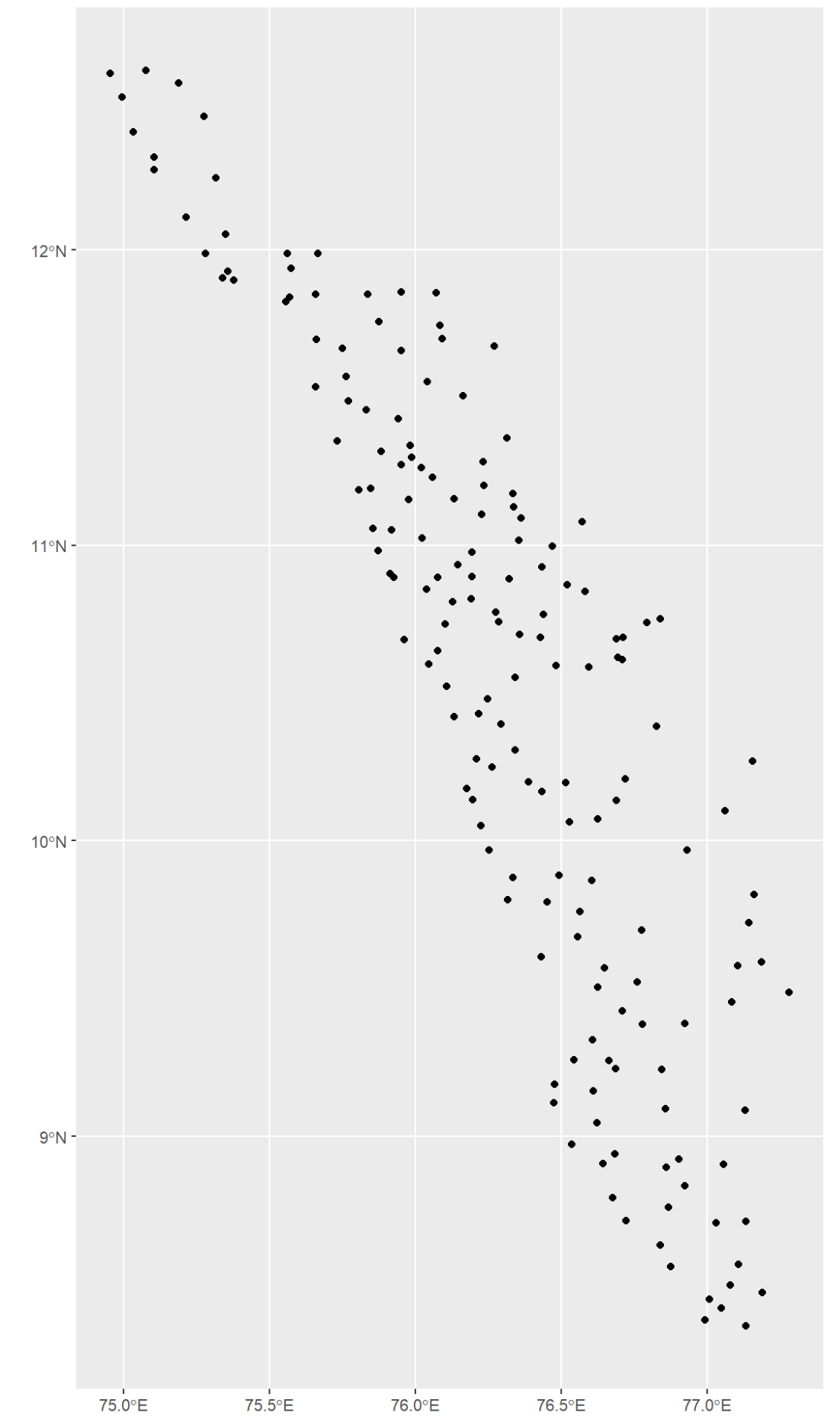
Plot the sf object

kl_pop_centers %>%
  ggplot() +
  geom_sf()

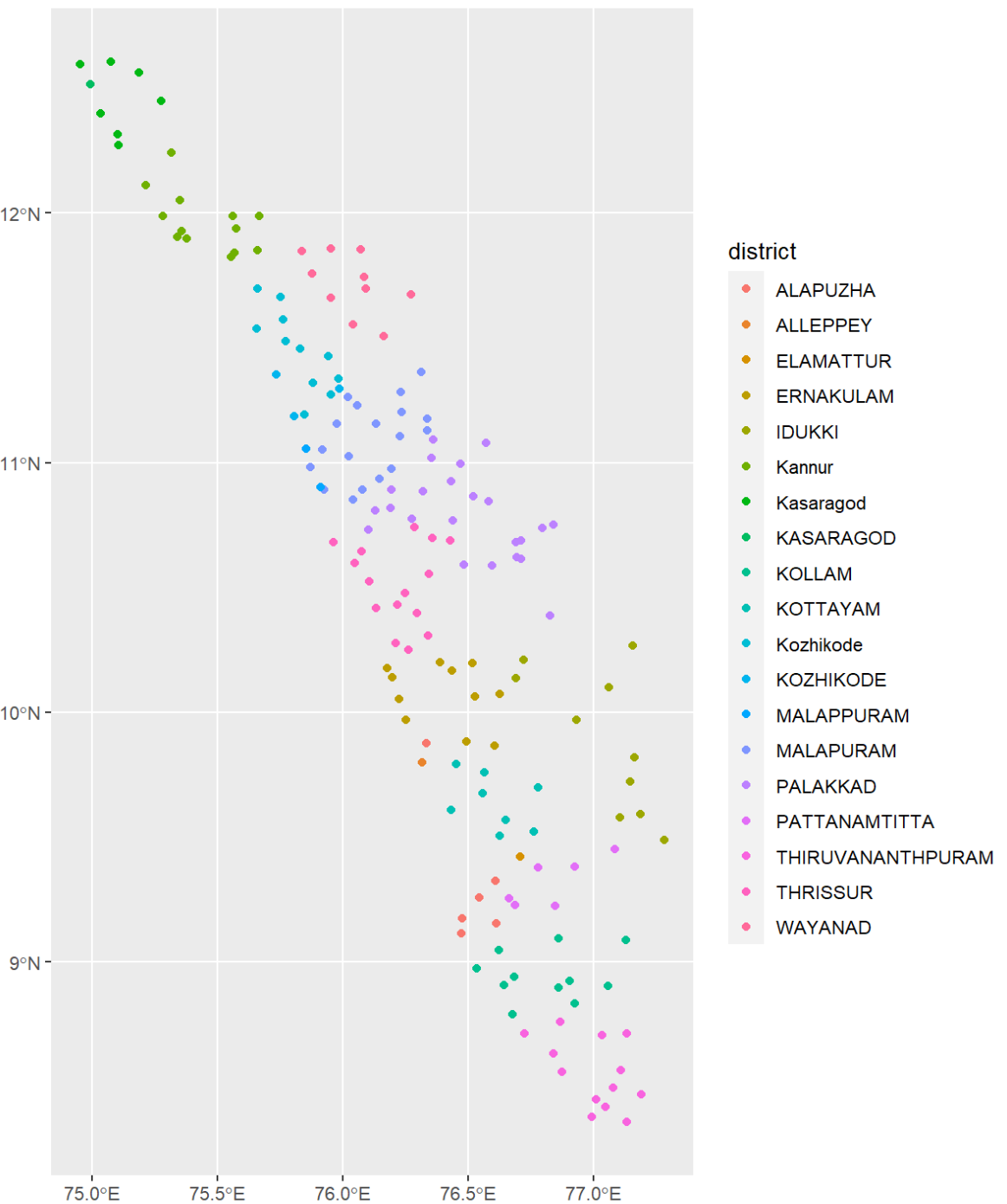
Plot the sf object

kl_pop_centers %>%
  ggplot() +
  geom_sf(aes(color = district))

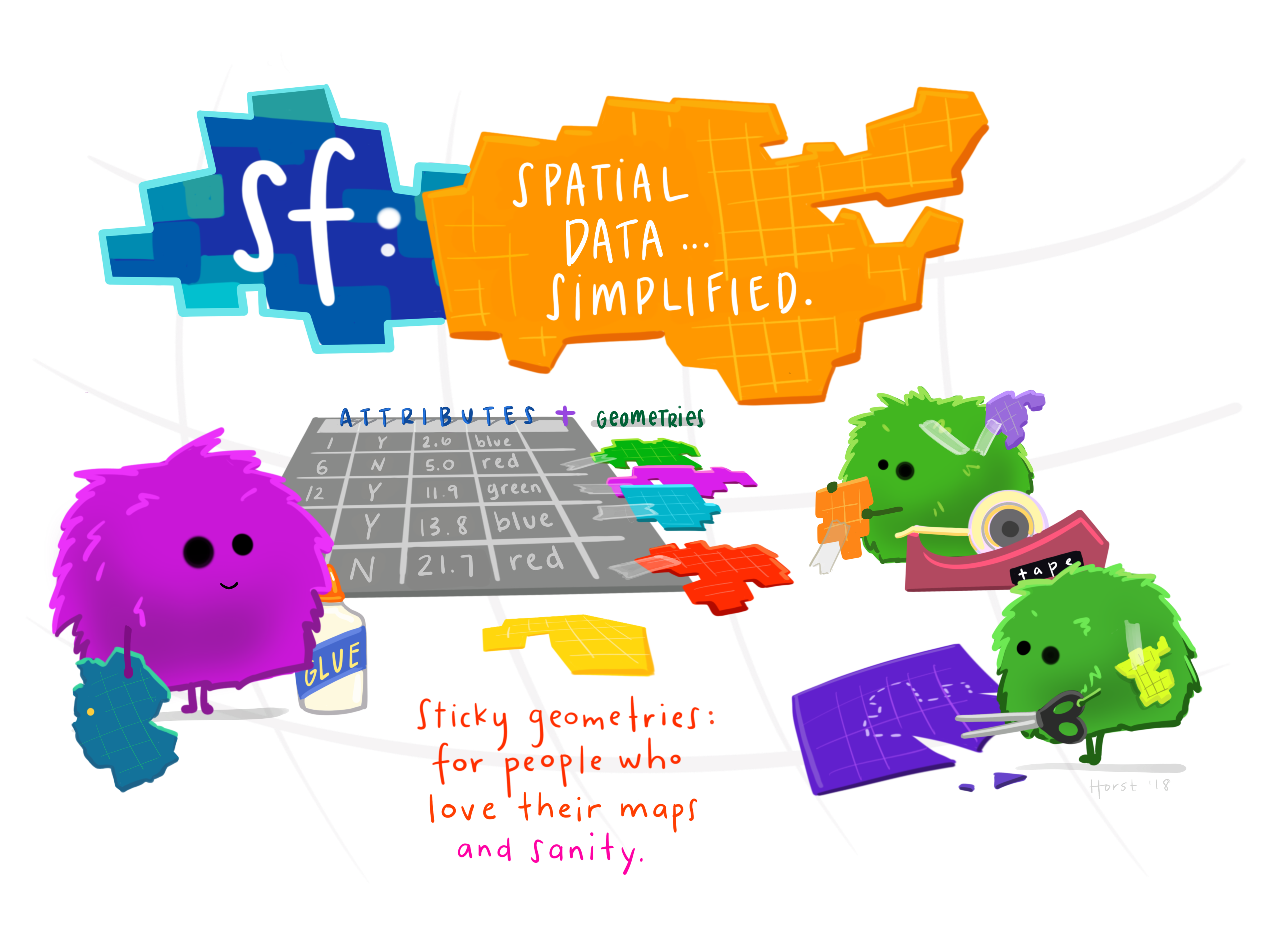
Concept of the sf package

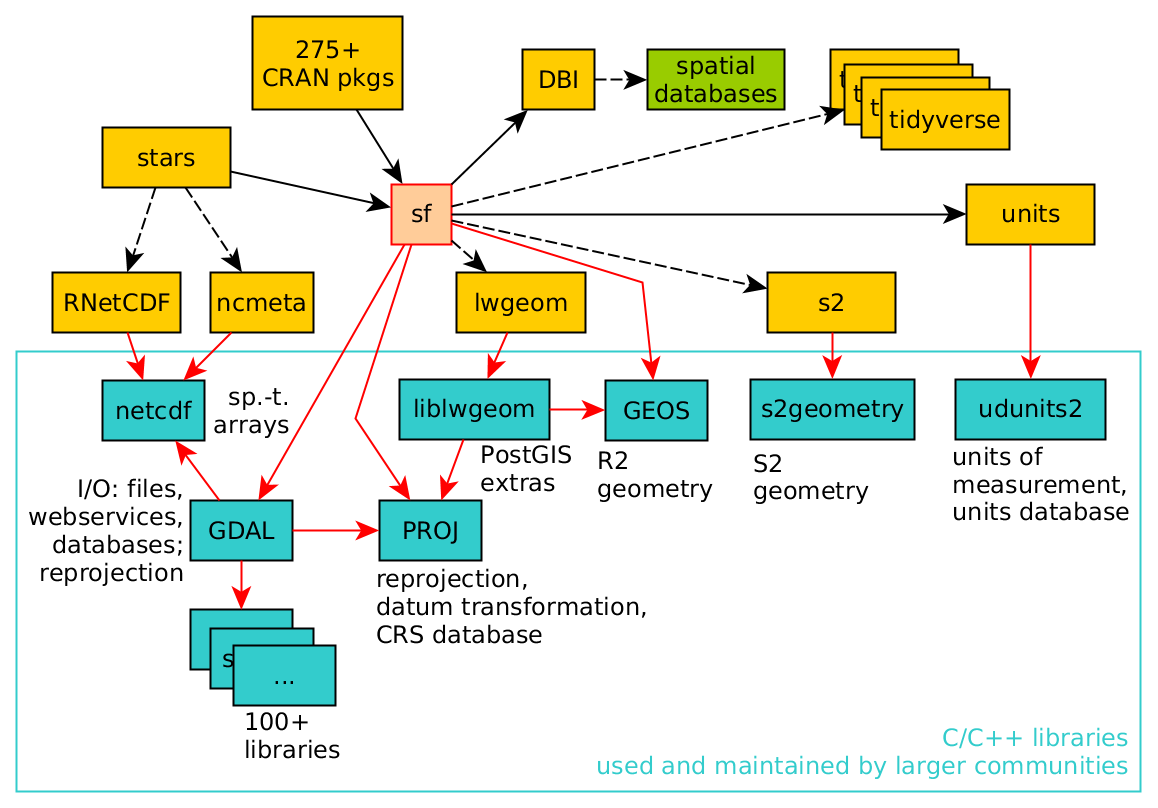
Dependencies of the sf package

Methods in sf

methods(class="sf")
  [1] $<-                          [                           
  [3] [[<-                         [<-                         
  [5] aggregate                    anti_join                   
  [7] arrange                      as.data.frame               
  [9] cbind                        coerce                      
 [11] dbDataType                   dbWriteTable                
 [13] distinct                     dplyr_reconstruct           
 [15] drop_na                      duplicated                  
 [17] filter                       full_join                   
 [19] gather                       group_by                    
 [21] group_split                  identify                    
 [23] initialize                   inner_join                  
 [25] left_join                    merge                       
 [27] mutate                       nest                        
 [29] pivot_longer                 pivot_wider                 
 [31] plot                         print                       
 [33] rbind                        rename                      
 [35] rename_with                  right_join                  
 [37] rowwise                      sample_frac                 
 [39] sample_n                     select                      
 [41] semi_join                    separate                    
 [43] separate_rows                show                        
 [45] slice                        slotsFromS3                 
 [47] spread                       st_agr                      
 [49] st_agr<-                     st_area                     
 [51] st_as_s2                     st_as_sf                    
 [53] st_as_sfc                    st_bbox                     
 [55] st_boundary                  st_break_antimeridian       
 [57] st_buffer                    st_cast                     
 [59] st_centroid                  st_collection_extract       
 [61] st_concave_hull              st_convex_hull              
 [63] st_coordinates               st_crop                     
 [65] st_crs                       st_crs<-                    
 [67] st_difference                st_drop_geometry            
 [69] st_filter                    st_geometry                 
 [71] st_geometry<-                st_inscribed_circle         
 [73] st_interpolate_aw            st_intersection             
 [75] st_intersects                st_is                       
 [77] st_is_valid                  st_join                     
 [79] st_line_merge                st_m_range                  
 [81] st_make_valid                st_minimum_rotated_rectangle
 [83] st_nearest_points            st_node                     
 [85] st_normalize                 st_point_on_surface         
 [87] st_polygonize                st_precision                
 [89] st_reverse                   st_sample                   
 [91] st_segmentize                st_set_precision            
 [93] st_shift_longitude           st_simplify                 
 [95] st_snap                      st_sym_difference           
 [97] st_transform                 st_triangulate              
 [99] st_triangulate_constrained   st_union                    
[101] st_voronoi                   st_wrap_dateline            
[103] st_write                     st_z_range                  
[105] st_zm                        summarise                   
[107] transform                    transmute                   
[109] ungroup                      unite                       
[111] unnest                      
see '?methods' for accessing help and source code

Interactive sf

kl_pop_centers %>%
  mapview::mapview()

  • Light weight
  • Interactive
  • Cross Platform

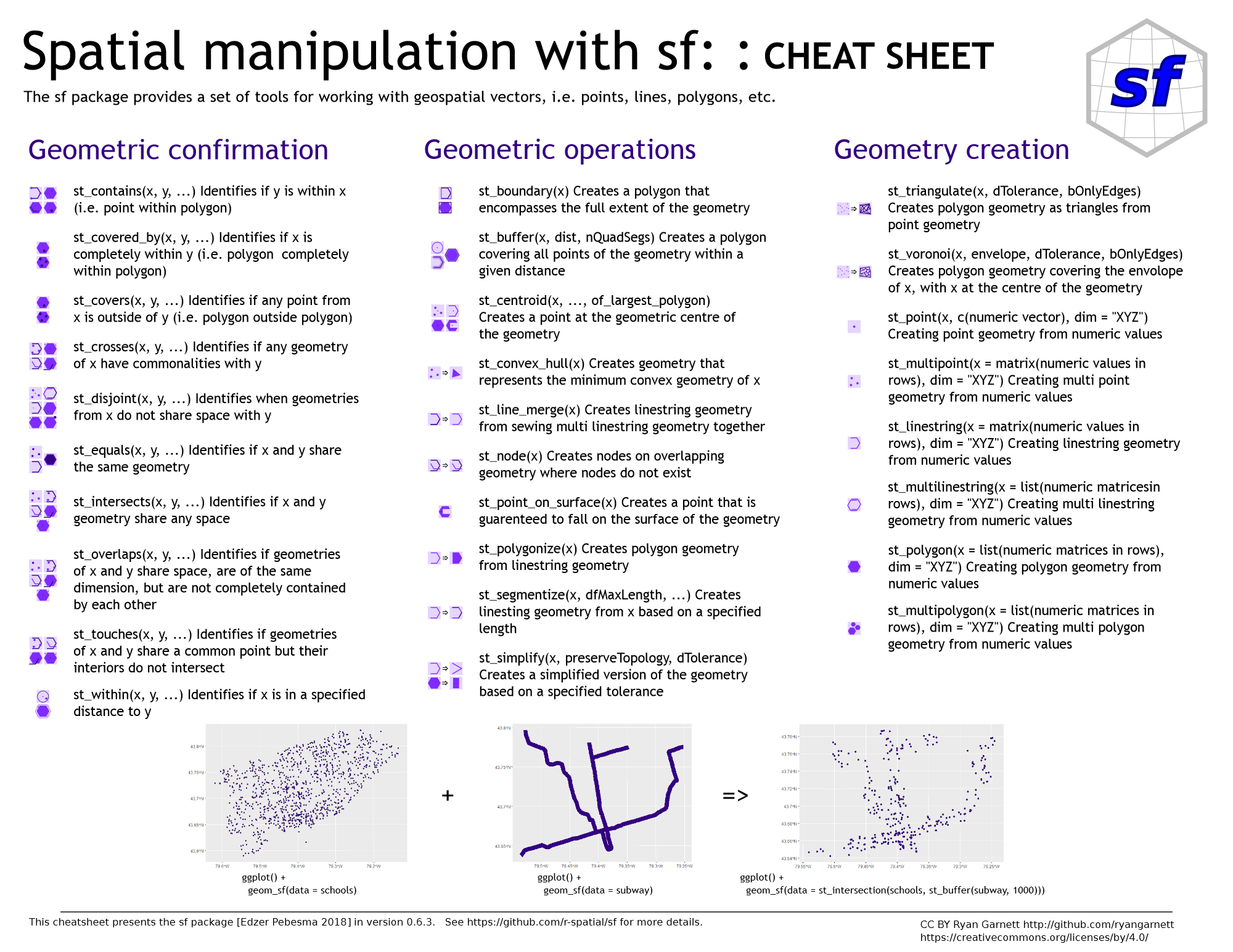
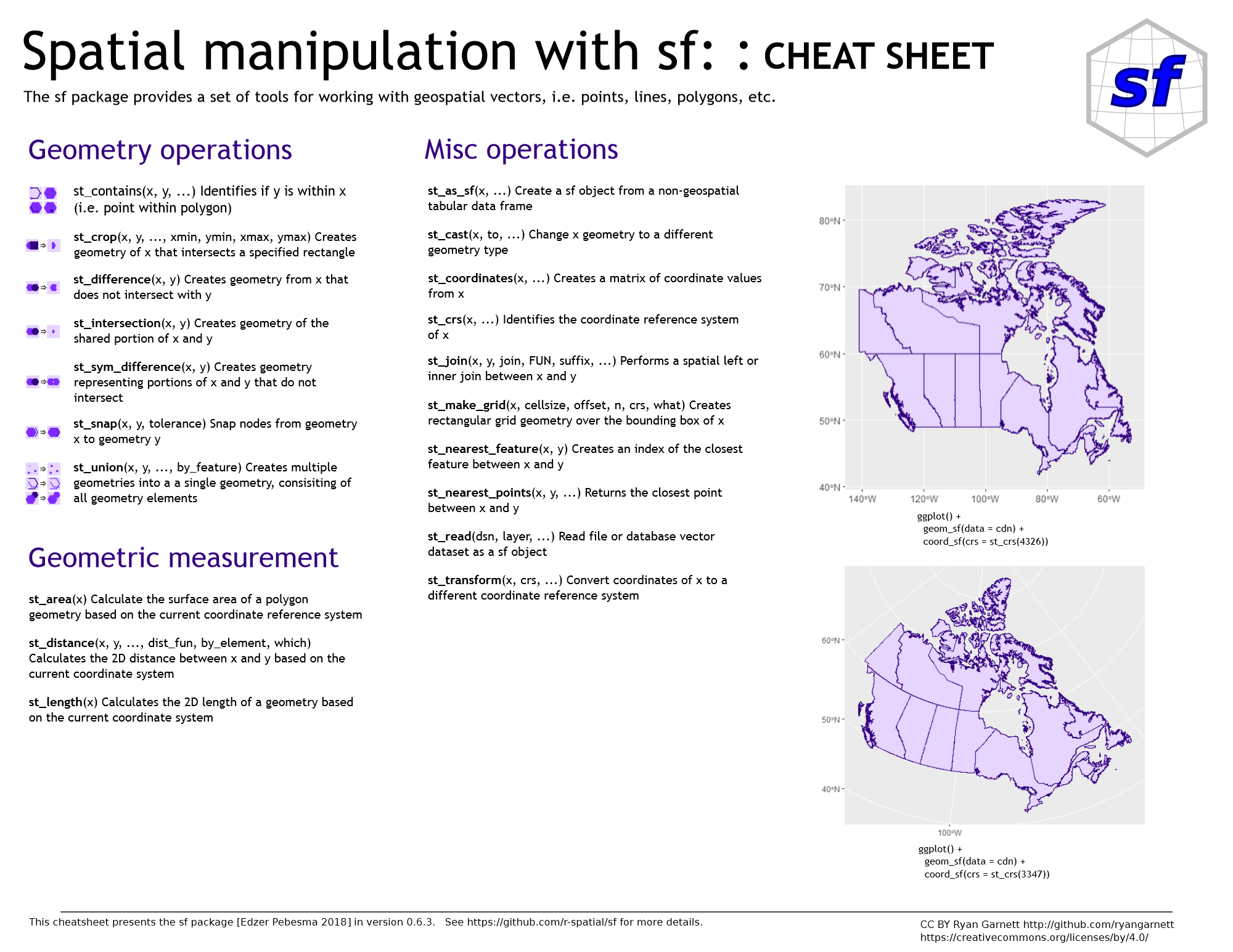
Where to look for help?

https://posit.co/wp-content/uploads/2022/10/sf.pdf

Challenges and Future Directions

New Requirements for Spatial Analysis

  • Immediate: The time from action to insight is reducing dramatically

  • Fresh: Primary data needs to be days or months old not years old

  • Multi-source: Competitive alternative sources for completeness or validation

  • Continuous: Analysis can no longer be a point in time

  • Automated: Possibility to continuously replicate and connect to decision tools