deSolve, EpiEstim, epidemics, EpiNow2, incidence2, outbreaks, socialmixr.| Pane | What it does |
|---|---|
| Source | Your script — write code, save it |
| Console | R runs here. Output prints here |
| Environment | Objects R knows about right now |
| Plots / Help / Files | Plots, ?docs, your project files |
Run a line: Ctrl/Cmd + Enter.
Common errors:
Use <- for assignment. = works too but <- is the convention. c() combines values into a vector — the smallest unit of data in R.
Arguments can be positional (in order) or named (name = value). Named beats positional for clarity — always name the second argument onward.
The four types you’ll meet most: numeric · character · logical · factor.
install.packages() is once. library() is every session. If you see “could not find function”, you forgot the library() call.
Three rules:
A line list is tidy data: one row per case, one column per attribute.
| case_id | onset | gender |
|---|---|---|
| 1 | 2014-04-01 | F |
| 2 | 2014-04-03 | M |
| 3 | 2014-04-04 | F |
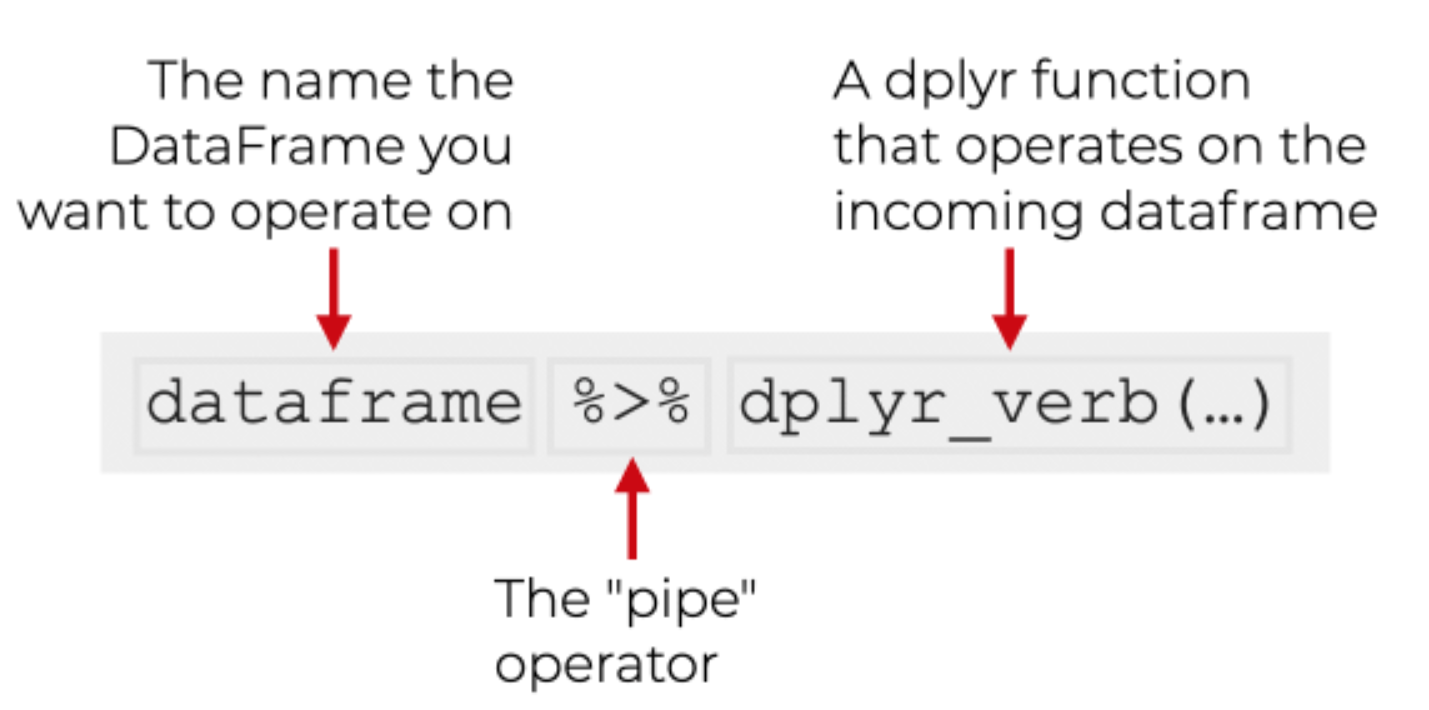
Read |> out loud as “and then…”. x |> f() is the same as f(x). x |> f() |> g() is g(f(x)).
read_csv() from readr is faster and tidier than base R’s read.csv() — it returns a tibble.here() builds project-relative paths. Use it instead of absolute paths — your code will work on any machine.dplyr Verbs| Verb | What it does |
|---|---|
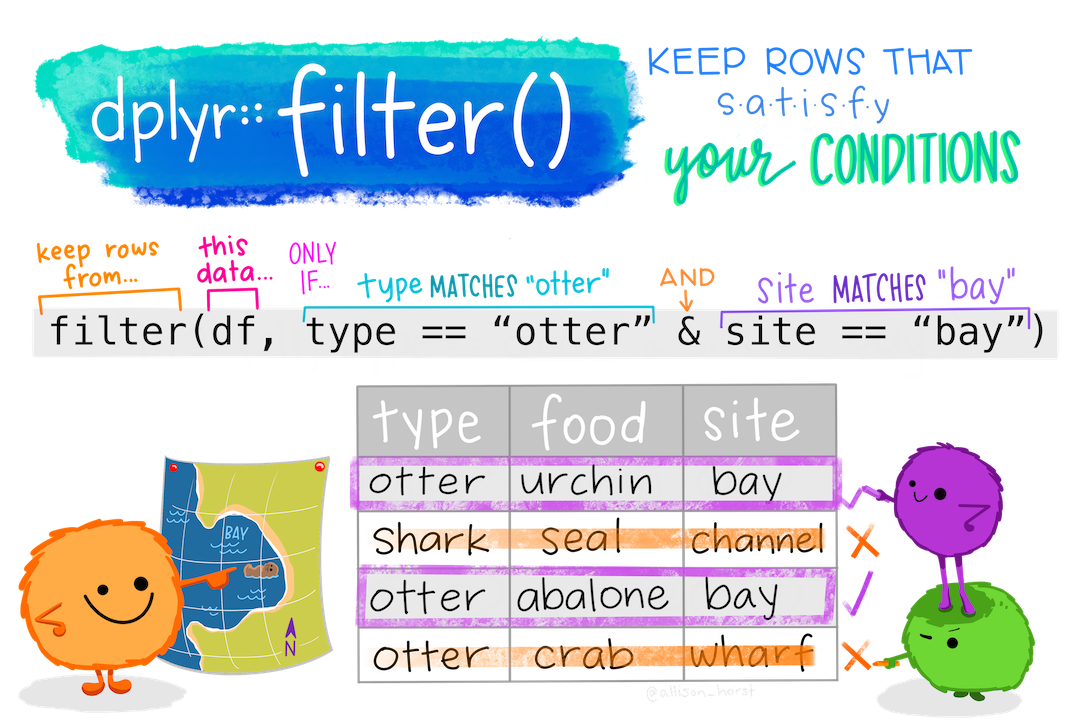
filter() |
Keep some rows |
select() |
Keep some columns |
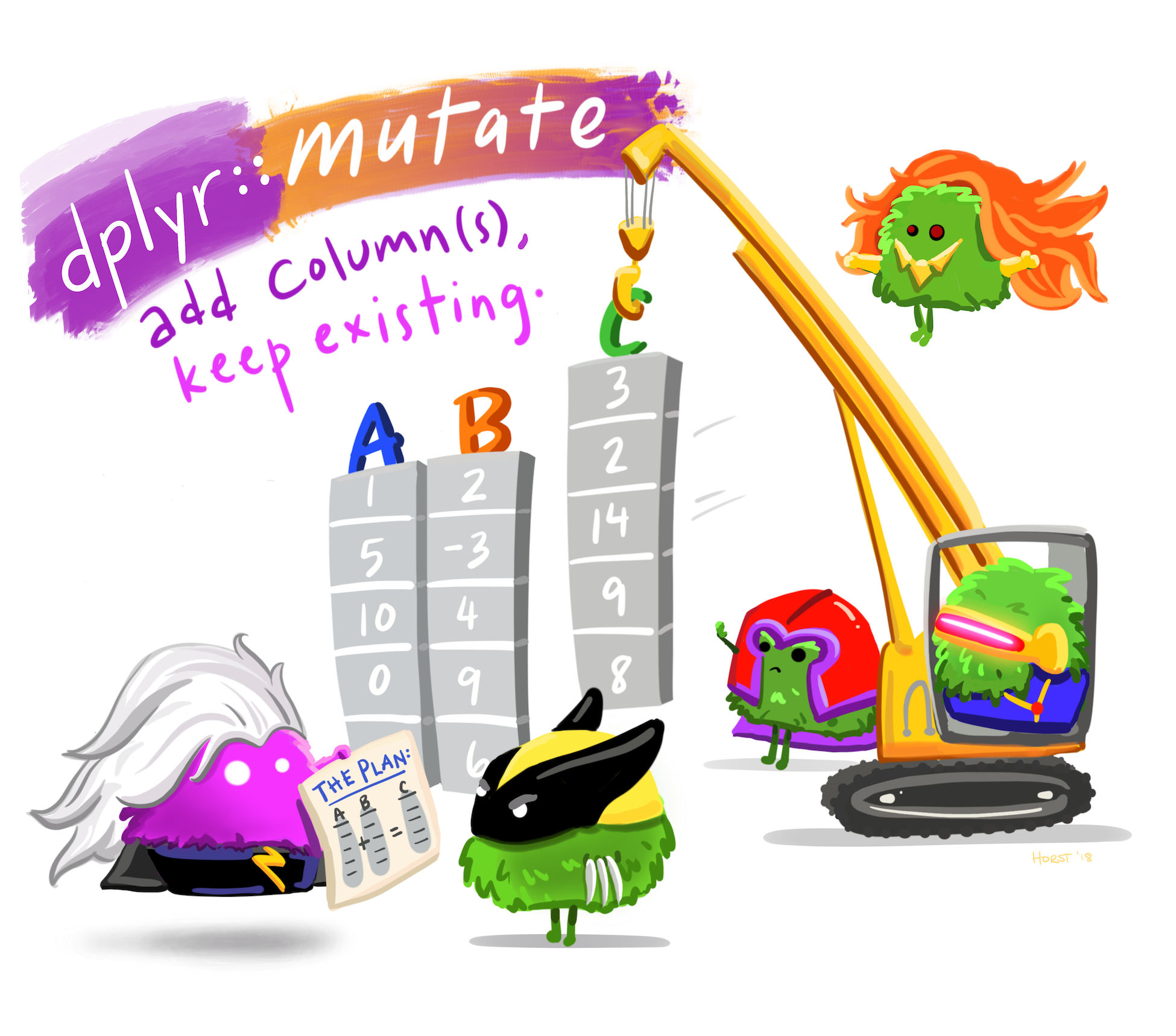
mutate() |
Make new columns |
arrange() |
Reorder rows |
group_by() + summarise() |
Collapse rows by group |
Combine with the pipe |> for readable, sequential transformations.
filter() function - Keeps the Rowsfilter()select() function: Keeps the Columnsstarts_with(), ends_with(), contains(), matches() (regex) all work inside select().
mutate() function: Makes New Columnsarrange() — Reorder RowsDefault is ascending. Wrap with desc() for descending.
group_by() + summarise() — Collapse by GroupThe most powerful pattern in dplyr. Group, then collapse. n() counts rows in the current group.
ggplot2A plot is built in layers:
aes() maps columns to position, colour, size.geom_line, geom_col, geom_point.aes() maps date → x-axis, daily_confirmed → y-axis.
free_y lets each year find its own scale.
| Geom | Use for… |
|---|---|
geom_line() |
Trends over time |
geom_col() |
Bars (counts already computed) |
geom_bar() |
Bars (compute counts from raw data) |
geom_point() |
Scatter plots |
geom_histogram() |
Distribution of one numeric variable |
geom_boxplot() |
Distribution by group |
geom_smooth() |
Trend line through points |
library(tidyverse)
library(outbreaks)
library(lubridate)
ll <- outbreaks::ebola_sim_clean$linelist |> as_tibble()
ll |>
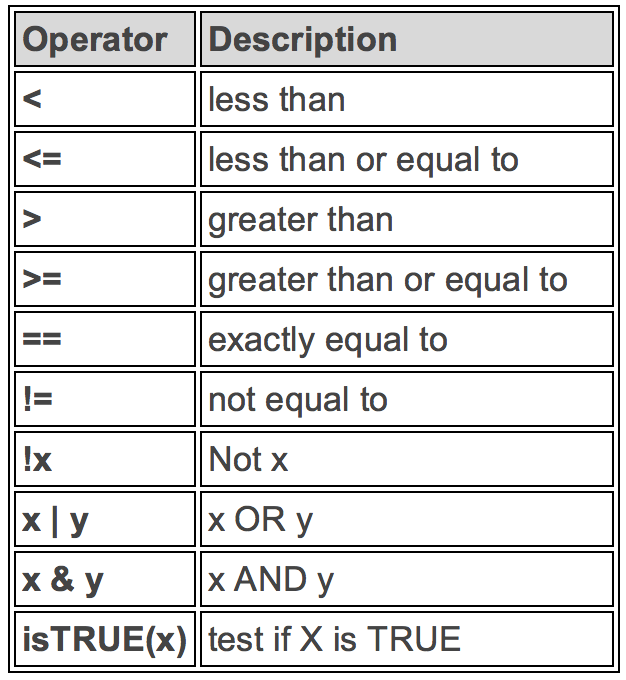
filter(!is.na(date_of_onset)) |>
mutate(month = floor_date(date_of_onset, "month")) |>
group_by(month, gender) |>
summarise(cases = n(), .groups = "drop") |>
ggplot(aes(month, cases, fill = gender)) +
geom_col(position = "dodge") +
labs(x = "Month", y = "Cases",
title = "Ebola simulated outbreak — monthly cases by gender")Five verbs. One pipeline. Read it top-to-bottom as English.
Same idea — three lines instead of seven. Epi packages give you tidy shortcuts for common patterns. Bridge to Rt in Foundations.
In your project, open activity_02_pipeline.R:
gender to hospital."month" to "week".geom_col to geom_line.geom_smooth() layer to overlay a trend.library(tidyverse); library(EpiEstim); library(here)
covid_india <- read_csv(here("data", "covid_india_daily.csv"),
show_col_types = FALSE) |>
transmute(dates = as.Date(date),
I = as.integer(daily_confirmed)) |>
arrange(dates) |>
filter(!is.na(I))
covid_india |>
ggplot(aes(dates, I)) +
geom_col(fill = "steelblue") +
scale_y_continuous(labels = scales::comma) +
labs(x = NULL, y = "Daily confirmed cases",
title = "COVID-19 India — JHU CSSE, 2020-01 to 2023-03")dates and I (daily incidence). One row per day.
parametric_si — serial interval is a known parametric distribution (gamma).
plot(rt_fit) shows all three.
Above 1 → wave growing. Below 1 → wave shrinking. Always read the credible interval.
For a quick R0 from the start of a wave, fit a log-linear model and convert:
Open activity_02_waves.R. Three teams, one wave each:
| Team | Wave | Window (illustrative) |
|---|---|---|
| 1 | Wave 1 | 2020-06-01 → 2020-12-31 |
| 2 | Wave 2 | 2021-03-01 → 2021-06-30 |
| 3 | Wave 3 | 2021-12-15 → 2022-02-28 |
For your wave:
estimate_R() with the SARS-CoV-2 serial interval.If you can read it, you can write it.